Feature
Zero-touch patching: patches without manual intervention
Patch management rarely fails for lack of patches; it fails because manual routine gets left undone. Zero-touch patching automates the entire cycle — from detection to audit-ready evidence.
The problem is not the patch but the routine
In most IT operations, patches are missing not because they are unknown but because applying them means manual work: checking, planning, rolling out, verifying, documenting. Precisely this routine gets left undone under load. The result is open vulnerabilities with a known CVE — the most common entry point for attacks.
Zero-touch patching reverses the principle: the default is the automatic, evidenced patch. Manual work is only required for exceptions.
The cycle in four steps
- Detection. OneLog continuously inventories the fleet and reconciles installed versions against available patches and known vulnerabilities.
- Assessment. Patches are prioritised by criticality — security-relevant updates before cosmetic ones.
- Staged rollout. The patch goes first to a small canary cohort. If it remains stable, the broad rollout follows in defined maintenance windows.
- Evidence. Every operation is logged: asset, vulnerability, time, result. That produces an audit-ready history instead of evidence gathered together after the fact.
Why staged rather than all at once
The risk case in patching is not the patch that is skipped but the faulty patch that is rolled out broadly and disrupts systems. That is why OneLog works with a canary phase: a small, representative group of devices receives the patch first and is monitored. If anomalies occur, the rollout stops automatically before it reaches the fleet. Only after a stable canary phase does the patch go wide.
That is the decisive difference between “automatic” and “uncontrolled automatic”.
Control stays with the operator
Zero-touch does not mean loss of control. Policies, maintenance windows and exceptions are defined by the operator:
- Maintenance windows per device group, so that rollouts do not fall into production hours.
- Exceptions for critical systems that are only patched with manual approval.
- Escalation when a patch does not go through cleanly — the case then lands with the operator instead of staying hidden.
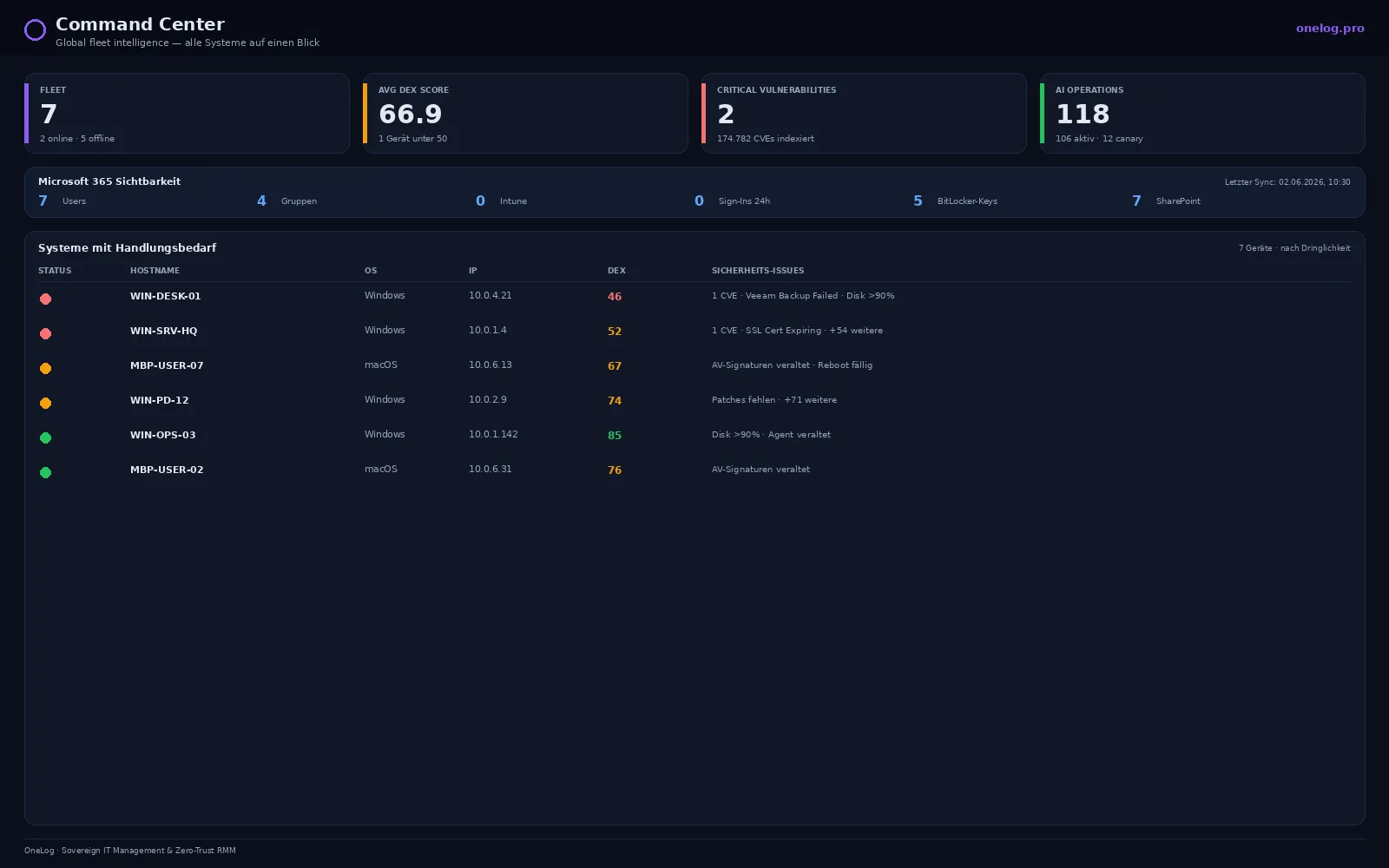
In the OneLog Command Center, the fleet status including missing patches and critical vulnerabilities is visible at a glance. The need for action becomes visible before it becomes an incident.
Patch evidence meets NIS2
NIS2 requires vulnerabilities to be handled in a governed way — not only closing them, but demonstrating that this happens in a governed manner. OneLog’s complete patch history is designed for exactly that: without additional effort, it documents which vulnerability was treated when on which asset. What is a manual reporting exercise in many RMMs arises here as a by-product of normal operations.
Sovereignly operated
Patch management reaches deep into the fleet — it decides which software runs on every device. OneLog operates this control layer exclusively EU-sovereign in the STACKIT Sovereign Cloud, with no US cloud exposure and in accordance with ISO 27001:2022. The TOMs under Art. 32 GDPR are publicly available. Zero-touch patching automates the routine without giving up control over the fleet.
Frequently asked questions
- What does zero-touch patching mean?
- Zero-touch patching is automated patch management in which detection, testing, staged rollout and evidence run without manual intervention. The operator only defines the policies and intervenes in exceptional cases.
- How does OneLog prevent a faulty patch from bringing down the fleet?
- Patches are first rolled out to a small cohort of devices and monitored. Only when this canary phase remains stable does the broad rollout follow; on anomalies, it stops automatically.
- Does zero-touch patching deliver evidence for NIS2?
- Yes. Every patch operation is logged — which asset, which vulnerability, what time, what result. This history is mapped directly to the NIS2 obligation on vulnerability handling.
- Is manual intervention still possible?
- Yes. Individual devices, maintenance windows or critical systems can be excluded from automation or approved manually. Zero-touch is the default, not the only option.
See OneLog in your environment
Monitors and maintains your IT remotely and fixes many incidents automatically — hosted in the EU, with no dependency on US cloud providers. NIS2 requirements are built in from the start.