Feature
Canary deployment: rolling out patches with an automatic emergency brake
A faulty patch can bring down an entire fleet. Canary deployment limits that damage: the patch goes to a small ring first, and OneLog rolls back automatically on a heartbeat drop before the rest of the fleet is affected.
The problem: patching fast without putting the fleet at risk
NIS2 requires timely patching. But the reflex of pushing every patch to the entire fleet immediately creates a risk of its own: a single faulty update can send hundreds of devices into a boot loop, driver conflict or service outage at the same time. Those who want to avoid that postpone patches manually — and pick up a compliance problem in return.
Canary deployment resolves this conflict of objectives: patch fast and keep the potential damage small.
How canary deployment works in OneLog
OneLog rolls out patches in rings rather than all at once.
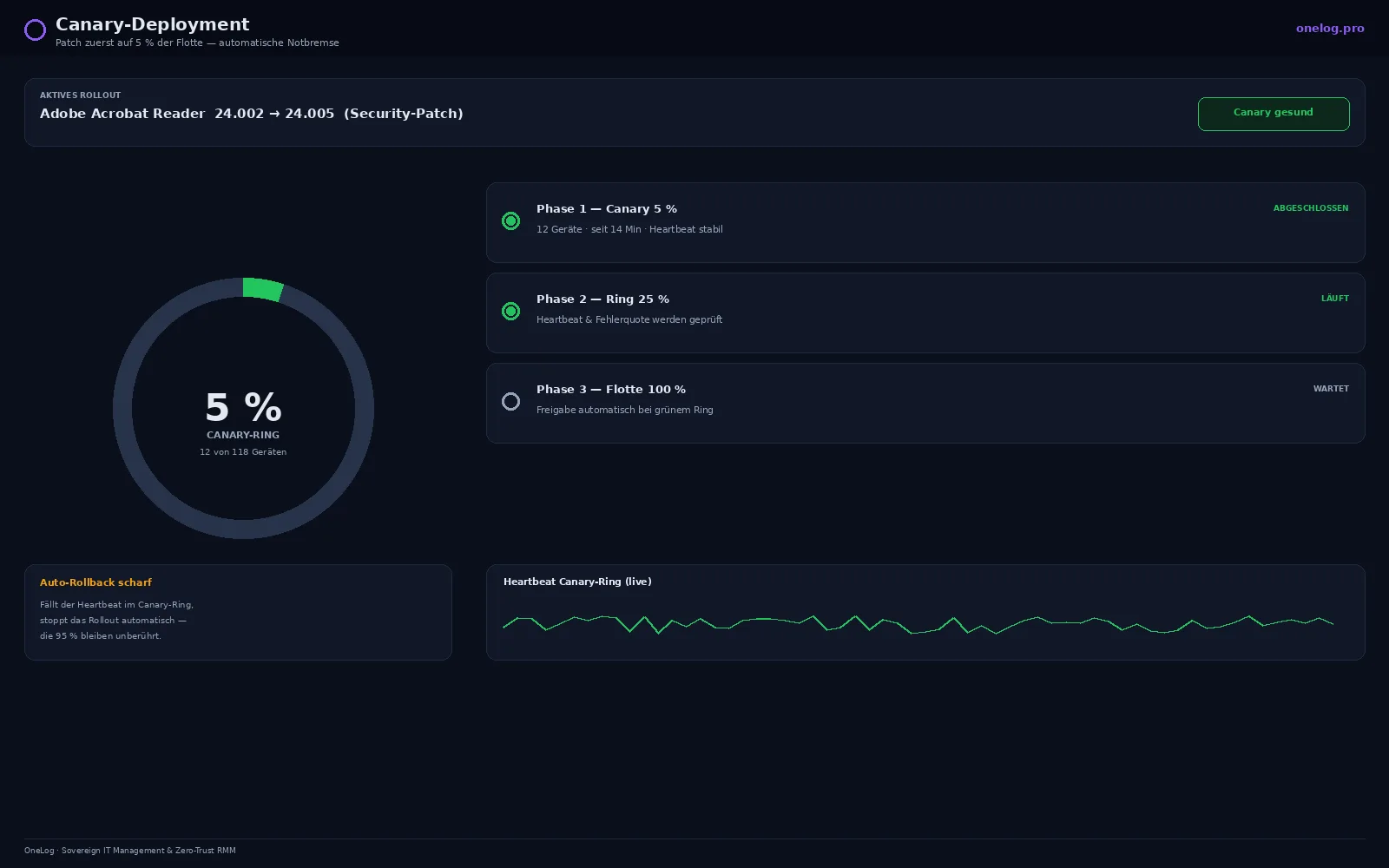
- Canary ring first. The patch is installed on a small, representative share of the fleet (e.g. 5 %).
- Heartbeat observation. After installation, OneLog monitors the heartbeat and health signals of the canary devices over a defined time window.
- Decision. If the devices remain stable, OneLog releases the patch for the rest of the fleet — staged, not everything at once.
- Emergency brake. If the heartbeat falls below the threshold, OneLog stops the further rollout and automatically reverts the affected devices.
The decisive point: the rollback needs no operator at three in the morning. OneLog pulls the emergency brake itself.
Why that makes the difference
- Limited blast radius. A faulty patch shows up on a few devices, not across the entire fleet.
- Automatic rollback. No race against time, no manual reverting under pressure.
- Representative rings. The canary ring can be assembled by hardware type, OS version and location so that it is meaningful.
- Traceable. Every rollout step and every rollback is logged — usable for NIS2 evidence.
In perspective: this does not replace testing
Canary deployment is not a substitute for clean test rings, but an additional safety level in production. It catches precisely the cases that do not occur in the lab — specific hardware combinations, real load, configurations that have grown over time.
Interplay with patch management and remediation
Canary deployment is part of OneLog’s patch management. It hooks into the zero-touch patching workflow: automated patching without a manual approval round, but with an emergency brake that prevents an uncontrolled rollout. If a defined follow-on incident occurs after a patch, autonomous remediation can pick it up directly instead of merely generating an alert.
For operators subject to NIS2, both count in the end: timely patching and demonstrable control that an update does not turn into an outage.
Frequently asked questions
- What is a canary deployment for patches?
- A staged rollout: the patch is initially installed only on a small subset of the fleet (the canary ring). Only when these devices remain stable does the rest follow. A faulty patch thus shows up on a few devices rather than on all of them.
- How does the automatic rollback work?
- After installation, OneLog monitors the heartbeat and health signals of the canary devices. If the heartbeat falls below the defined threshold, OneLog stops the rollout and reverts the affected devices to their previous state — without manual intervention.
- How large is the canary ring?
- By default a small share of the fleet (e.g. 5 %), freely configurable. A representative mix of hardware types, OS versions and locations makes sense, so that the ring is genuinely meaningful.
- Does canary deployment replace patch testing?
- It complements it. Conventional test rings remain worthwhile; canary deployment adds an automatic safety level in production that also catches problems that do not occur in testing.
See OneLog in your environment
Monitors and maintains your IT remotely and fixes many incidents automatically — hosted in the EU, with no dependency on US cloud providers. NIS2 requirements are built in from the start.